ShellBrowser .Net5.4
Publisher Description
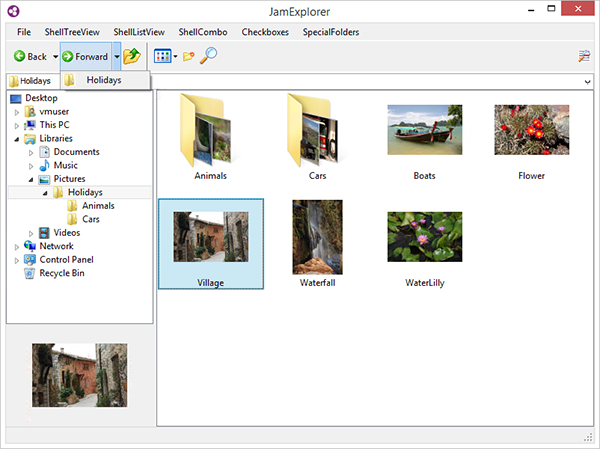
The ShellBrowser .Net Edition is a set of UI controls that look and behave exactly like the Windows Explorer. The ShellListView and ShellTreeView controls imitate the corresponding parts of the Windows Explorer, including correct icons with overlays, the Explorer context menu, thumbnails, details, virtual folders and shell extensions. Beyond the normal Explorer look & feel, these controls support file filters, check boxes and allow the customization of many aspects of their appearance and behavior. The invisible ShellControlConnector control allows you to synchronize multiple shell controls with just one line of code. An additional thumbnail control displays previews of the selected files in any size. An interesting sample project and a detailed help file are included.
About ShellBrowser .Net
This Components & Libraries program is available in English. It was last updated on 29 September, 2026. ShellBrowser .Net is compatible with the following operating systems: Windows, Windows-mobile.
The company that develops ShellBrowser .Net is JAM Software GmbH. The latest version released by its developer is 5.4. This version was rated by 1 users of our site and has an average rating of 5.0.
The download we have available for ShellBrowser .Net has a file size of 4.2 MB. Just click the green Download button above to start the downloading process. The program is listed on our website since 2016-11-08 and was downloaded 90 times. We have already checked if the download link is safe, however for your own protection we recommend that you scan the downloaded software with your antivirus. Your antivirus may detect the ShellBrowser .Net as malware if the download link is broken.
How to install ShellBrowser .Net on your Windows device:
- Click on the Download button on our website. This will start the download from the website of the developer.
- Once the ShellBrowser .Net is downloaded click on it to start the setup process (assuming you are on a desktop computer).
- When the installation is finished you should be able to see and run the program.
Program Details
System requirements
Download information
Pricing
Version History
version 5.4
posted on 2016-11-08
* ShellTreeView: new "MultipleRoots" property
* ExplorerBrowser: new "CheckMode" property
* ShellTreeView: handling of TreeNodes and "ChangeDelay" improved
* New ShellControlConnector component
* FileList: Performance issues resolved
* Several bugfixes and improvements
version 5.3
posted on 2015-10-26
* ExplorerBrowser, ShellSystemList: control display status and properties
* ShellListView, FileList, DriveList: better column handling through a new proprietary class and interface
* ShellTreeView, ShellListView: network nodes expanded asynchronously
* Several bugfixes and improvements
version 3.6
posted on 2008-12-15
* Supports large 256x256 Vista Icons
* Icon Alpha Transparency
* New Control ShellSystemListView for the native explorer control
* New UseThreadPool option to improve performance on multicore systems
* New examples and further improvements
